
Rust Web Radar | Live Browser Radar for Rust


 Undetected & Secure
 NEW Up to Date!

With Rust Web Radar;
- Live Browser-Based Radar - No Installation Required!
- Real-Time Player, NPC & World Entity Tracking
- Interactive Zoom, Follow & Map Controls
- Detailed Player Information (Steam Avatar, Distance & Equipment)
- Live Inventory Preview with Hotbar & Equipped Items
- Danger Detection for Rockets, C4 & Satchels
- Advanced World Entity Radar (Crates, Vehicles, Ores & More)
- Fully Customizable Colors & Display Settings
- Automatic Map Loading & Smart Reconnect
- Works on Windows 10 & Windows 11
- Supports Intel & AMD Processors
- Steam Version Supported
- Undetected & Secure
- After purchase you will get instant Download & Access via E-mail

What is Rust Web Radar and how does it improve map awareness?
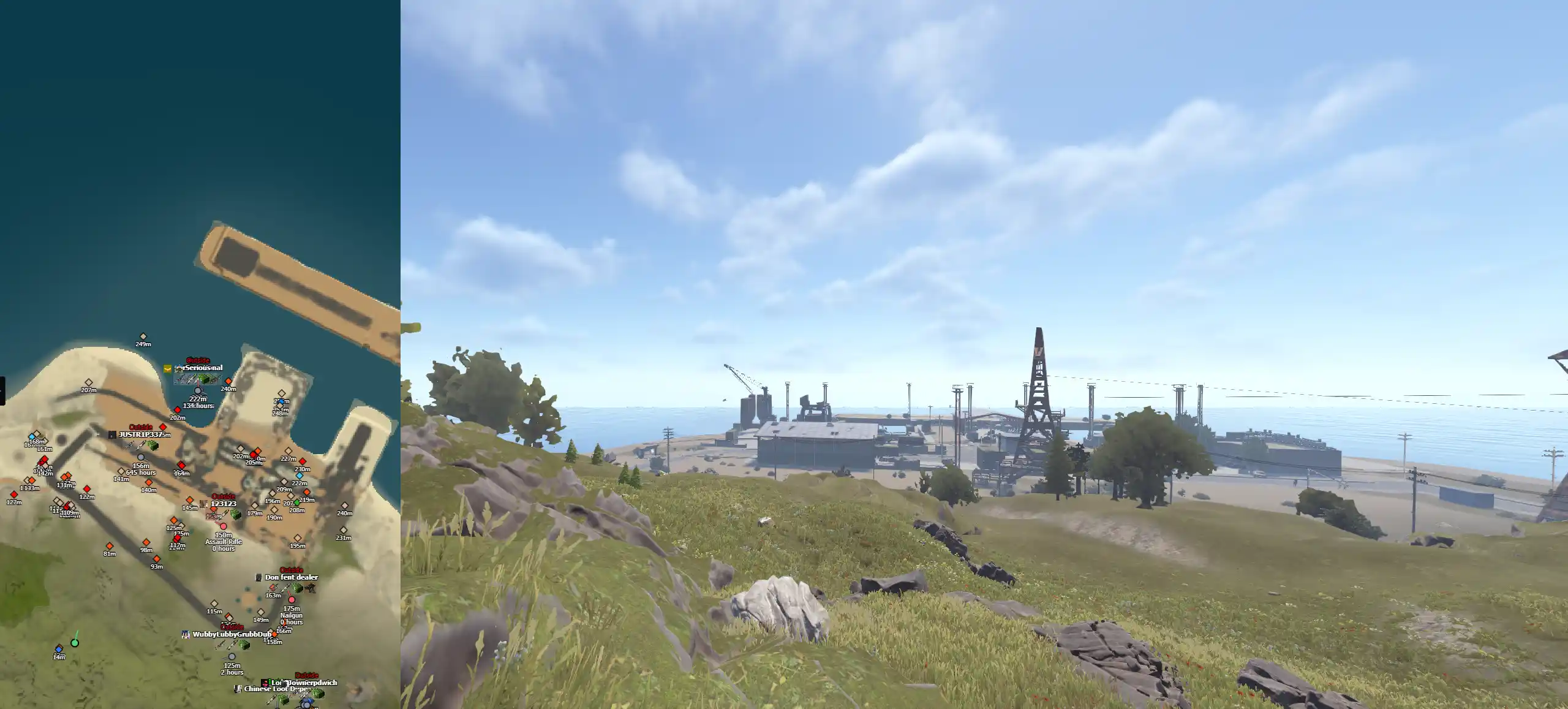
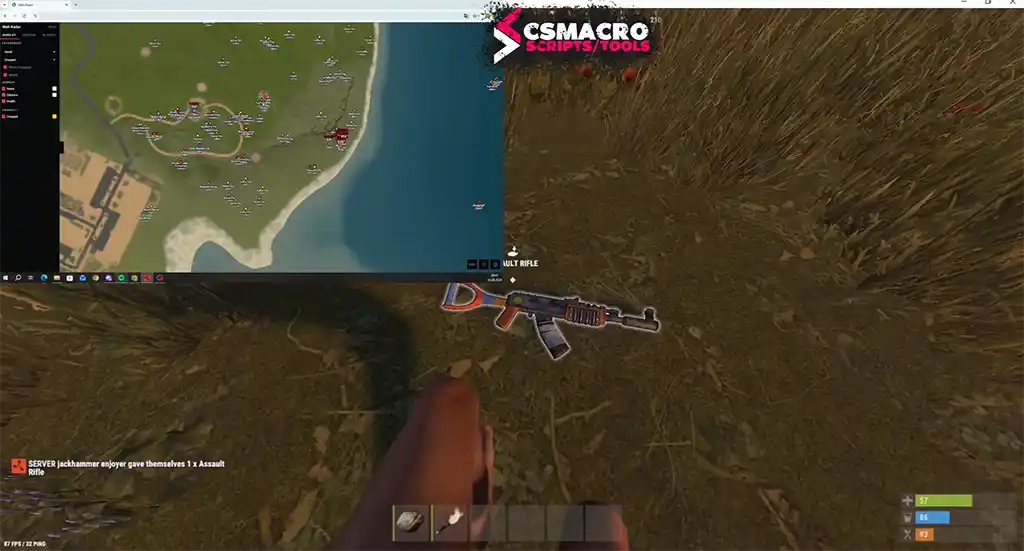
Rust Web Radar is a live, browser-based radar designed to provide clear map awareness while playing Rust. Instead of relying on a traditional desktop interface, the radar opens directly in a supported browser and connects to a private radar room in real time. This makes it possible to view player positions, NPCs, vehicles, loot, resources, deployables, and other important world entities through one clean and responsive map.
The main advantage of a browser-based Rust radar is fast access. There is no complicated radar interface to learn and no separate map window that needs constant manual adjustment. Once the radar room is available, the map can be opened from a regular browser or the Steam in-game browser. The interface automatically loads the correct map information from the connected room and begins displaying live updates through a WebSocket connection.
Rust Web Radar is built for players who want a clear overview of nearby activity. The system combines real-time player tracking, interactive map controls, inventory information, world entity filters, distance data, team identification, and configurable display settings. Instead of filling the screen with unnecessary information, each category can be enabled, disabled, and customized according to the user’s preferred playstyle.
How does the live browser-based Rust Radar work?
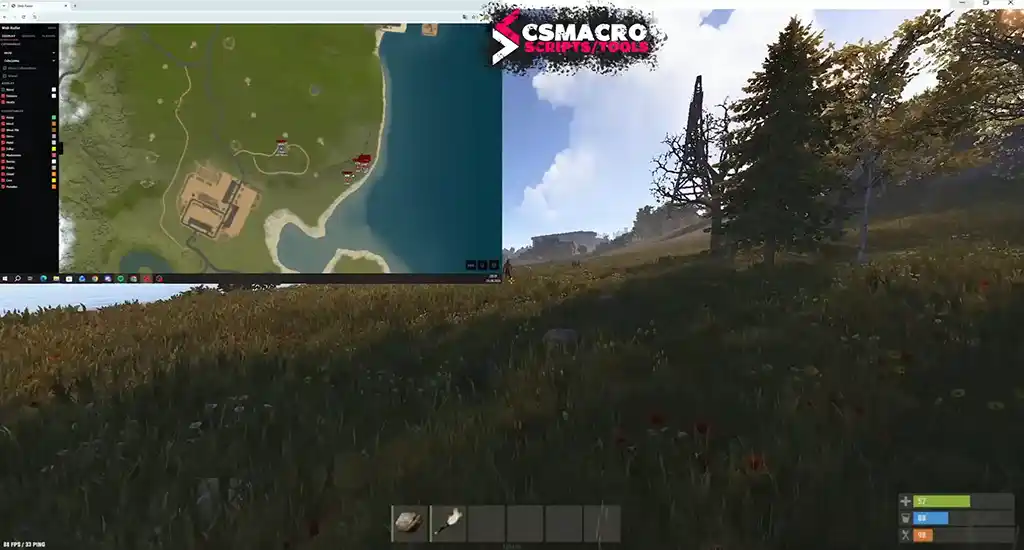
The radar receives live entity snapshots from the connected radar room and displays them on a high-performance 2D canvas. Position updates are transferred through a real-time WebSocket connection, while smooth interpolation is used between snapshots to keep player and entity movement fluid. This creates a responsive visual experience without making markers appear to jump across the map.
The canvas automatically scales according to the device pixel ratio, which helps the map, icons, names, and direction indicators remain clear on both standard and high-DPI displays. The radar also resizes automatically when the browser window changes size. This means the interface can be used in a normal browser tab, a maximized window, a secondary monitor, or the Steam overlay without requiring repeated manual resizing.
Separate rendering layers are used for different types of information. World entities are drawn beneath player markers, helping nearby players remain visible even when many loot objects, resources, vehicles, or deployables are displayed in the same area. This layered approach improves readability during busy situations such as monument fights, raids, farming routes, or heavily populated server areas.
What information does Rust Web Radar show about players?
The Rust player radar displays active players with a clear map marker and facing-direction indicator. It can also separate teammates, wounded players, crawling players, sleepers, scientists, NPCs, and safe-zone players into different categories. Each category can be independently enabled or disabled, allowing the radar to show only the information that is useful at that moment.
Detailed player information may include the player’s username, Steam avatar, Steam playtime in hours, held item, live distance in meters, team ID, visibility status, and indoor or outdoor status. A configurable view-direction line can also be displayed, helping users understand which direction a player is facing instead of seeing only a static position marker.
The Players tab includes a clickable list automatically sorted by distance. Selecting a player from the list can focus that player on the map and activate follow behavior. This is especially useful when several players are present in the same region and the user wants to keep one specific target centered without manually searching for the marker again.
Can Rust Web Radar display inventories and dangerous equipment?
Rust Web Radar includes an inventory intelligence system that can show a six-slot Rust hotbar preview with item artwork. It can also display clothing and equipped-item slots, giving users a faster understanding of what a nearby player may be carrying or wearing. The currently active hotbar slot can be highlighted so the held item is easier to identify.
Danger indicators can be used for high-priority items such as C4, rocket launchers, and satchel charges. These flags help important equipment stand out without forcing the user to inspect every inventory slot manually. Item artwork is sourced from Rust item visuals, while fallback initials may be used when a specific icon cannot be loaded.
This combination of live distance, held-item data, hotbar information, equipped clothing, and danger flags gives the user a more structured view than a basic position-only radar. Instead of simply showing that another player is nearby, the interface can organize relevant information into a compact and readable profile.
Which world entities can be tracked with Rust Web Radar?
The Rust world entity radar includes a master world switch together with individual category and item controls. This allows users to display all supported entities, hide the entire world layer, or enable only selected items. The available categories can include crates, vehicles, ores, collectables, animals, deployables, dropped items, keycards, supply drops, corpses, and building-related entities.
Supported crate types may include Elite, Helicopter, Bradley, Locked, Military, Wooden, Tech, and other useful crate categories. Vehicle tracking can include rowboats, RHIBs, tugboats, minicopters, scrap transport helicopters, hot air balloons, modular cars, submarines, trains, and the Bradley APC. This makes the radar useful for both player awareness and world navigation.
Resource and deployable tracking can include ores, collectables, animals, auto turrets, SAM sites, and tool cupboards. Other supported entities may include dropped items, red keycards, blue keycards, green keycards, supply drops, corpses, and building pieces. World markers can be displayed as diamond-shaped icons with optional names, distance values, and health bars.
Because every server situation is different, individual category toggles help prevent unnecessary visual clutter. A player who is farming can prioritize ores and collectables, while another user may prefer to focus on vehicles, crates, nearby players, or raid-related deployables.
How do zoom, pan, follow mode, and map controls work?
Rust Web Radar includes interactive controls designed to make large Rust maps easier to navigate. Mouse-wheel zoom can provide up to 8× magnification, helping users inspect a small area without losing access to the full map. Click-and-drag panning allows the map to be moved manually, while built-in limits help prevent the map from being dragged completely out of view.
The center-on-self control instantly returns the map to the local player’s position. Follow mode can automatically track the user while moving, keeping the current location centered without constant manual adjustment. A player selected from the distance-sorted list can also become the active focus, allowing the radar to follow that player on the map.
Manual panning automatically stops active follow or focus behavior. This prevents the interface from fighting against the user when they intentionally move to another section of the map. Together, these controls create a practical balance between automatic tracking and manual exploration.
Can the Rust Radar display be fully customized?
The radar provides independent feature toggles for player categories, world entities, marker details, and text elements. Users can decide whether to show names, distances, health bars, direction lines, inventory information, avatars, visibility indicators, or other supported data. This makes it possible to create a minimal layout or a highly detailed radar depending on personal preference.
Marker colors and text colors can be customized per player category and per world item. An HSV color picker includes saturation and brightness controls, a hue bar, and hexadecimal color input. Twelve quick-select presets are also available for faster configuration.
All settings are saved automatically in the browser’s local storage. When new configuration fields are added, saved settings can migrate automatically so users do not have to rebuild the entire display layout after an update. This browser-based configuration system keeps the interface consistent between sessions on the same browser and device.
Does Rust Web Radar require installation?
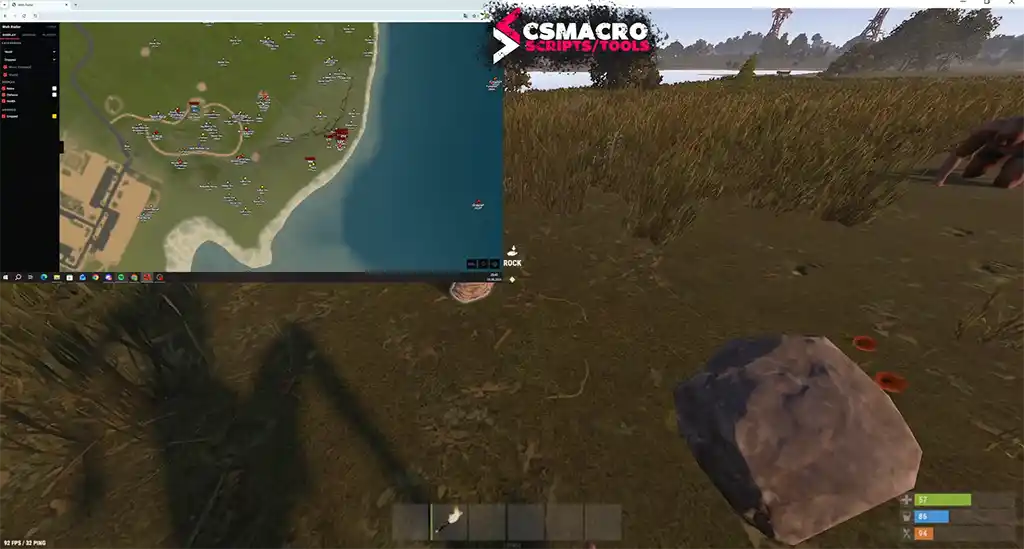
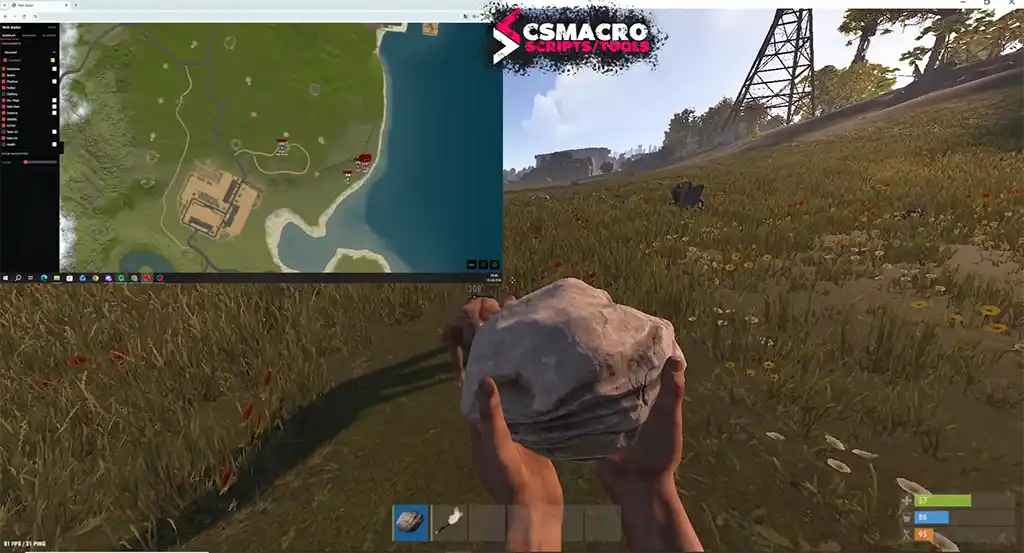
The radar interface itself runs in a supported web browser, so users can access the live map through a private share link instead of installing a traditional radar viewer. The room can be opened in modern browsers and can also be viewed through the Steam in-game browser overlay, providing fast access without repeatedly switching away from the game.
When the room connects, the radar attempts to load the correct map automatically from the room metadata. If required, it can use the Rust world size and seed as a fallback map lookup method. WebP map files are supported with PNG and JPG fallbacks, while a manual local image upload option can be used as an additional backup.
The interface includes live room, viewer, and connection-state indicators. If the connection is interrupted, an automatic reconnect system uses exponential backoff to restore the room without creating constant rapid reconnect attempts. This helps maintain a more stable browser session during temporary network interruptions.
What are the Rust Web Radar system requirements?
Game: Rust
Game Client: Steam
Supported Operating Systems: Windows 10 and Windows 11
Supported Processors: Intel and AMD
Supported Game Modes: All supported Rust game modes
Radar Interface: Browser-based live 2D map
Map Access: Private radar room or share link
Browser Access: Modern supported browser and Steam in-game browser
Rust Web Radar is designed for Windows 10 and Windows 11 systems using Intel or AMD processors. The radar supports the Steam version of Rust and can be used across supported game modes. A stable internet connection is recommended because room data, player positions, entity updates, and map information are synchronized live.
Why choose a browser-based Rust Radar?
A browser-based radar provides a flexible interface that can be viewed from different screen layouts without requiring a large standalone viewer. Users can keep the radar open on a secondary monitor, place it beside the game, maximize it when needed, or open it through the Steam browser. Automatic resizing and high-DPI rendering help the interface adapt to each layout.
Another advantage is centralized access to player information, world entities, map controls, inventory previews, and display settings. Instead of using separate pages for different data types, the radar organizes everything into one live interface. This can make the product easier to understand for new users while still offering advanced controls for experienced users.
The use of private radar rooms also creates a simple access flow. After receiving the required access information, the user can open the supplied link, wait for the room and map to connect, and then configure the radar according to personal preferences.
Does Rust Web Radar update player positions in real time?
Yes. Player positions, NPCs, and supported world entities are updated through a live WebSocket connection to the active radar room. Smooth interpolation is applied between snapshots so movement appears more natural. The exact update experience can depend on the active room, network connection, server conditions, and browser performance.
Connection-state indicators help users understand whether the radar is connected, reconnecting, or waiting for data. If the room temporarily disconnects, the automatic reconnect system attempts to restore the session. This reduces the need to refresh the browser manually after a short connection interruption.
Can Rust Web Radar be used in the Steam browser?
The radar share link can be opened in supported browsers, including the Steam in-game browser. This allows users to preview the live map without completely leaving the game. The best layout will depend on the user’s display resolution, Steam overlay settings, browser scaling, and preferred map size.
For maximum visibility, many users may prefer a full-screen browser window or secondary monitor. The automatic resizing system adjusts the radar canvas when the available browser area changes, while high-DPI scaling helps maintain clear text and markers.
Can individual players and world entities be hidden?
Yes. Rust Web Radar includes separate controls for player types, NPC categories, sleepers, safe-zone players, teammates, and supported world entities. Users can disable complete categories or configure individual world items. This makes it easier to reduce map clutter and focus only on the information needed for a specific activity.
Display elements such as player names, distance values, health information, direction lines, visibility indicators, and inventory details can also be controlled independently where supported. Custom colors can then be used to make selected categories easier to identify at a glance.
How does automatic Rust map loading work?
When a radar room connects, the interface first checks the room metadata for the correct map. If the required map information is available, the radar loads it automatically. When direct room metadata is not sufficient, the system can attempt a fallback lookup using the Rust world seed and map size.
The radar supports WebP map files together with PNG and JPG fallbacks. A manual local image upload option can also be used when an automatic map source is unavailable. This multi-step loading system provides several ways to display the correct map instead of depending on a single image format or lookup method.
Frequently Asked Questions about Rust Web Radar
What is Rust Web Radar?
Rust Web Radar is a browser-based live 2D radar for Rust that can display players, NPCs, inventories, vehicles, loot, resources, deployables, and other supported world entities.
Is the radar browser-based?
Yes. The live radar interface runs in a supported browser and can be accessed through a private radar room or share link.
Does Rust Web Radar support Windows 10?
Yes. Windows 10 is supported.
Does Rust Web Radar support Windows 11?
Yes. Windows 11 is supported.
Does it work with Intel processors?
Yes. Intel processors are supported.
Does it work with AMD processors?
Yes. AMD processors are supported.
Which Rust client is supported?
The radar is designed for the Steam version of Rust.
Can I open the radar in the Steam in-game browser?
Yes. The private radar link can be opened through the supported Steam browser interface.
Can the radar follow my position?
Yes. Follow mode can keep the local player centered while moving.
Can I focus on another player?
Yes. A player can be selected from the distance-sorted Players tab to focus and follow that marker on the map.
Can I zoom and move the map?
Yes. The map supports mouse-wheel zoom, click-and-drag panning, center-on-self controls, and follow behavior.
Does the radar show player inventories?
Supported player data can include a six-slot hotbar preview, held items, equipped clothing, active slot highlighting, and danger flags.
Which dangerous items can be highlighted?
Danger flags can identify items such as C4, rocket launchers, and satchel charges.
Can I track crates and vehicles?
Yes. Supported entities can include multiple crate types, boats, helicopters, modular cars, submarines, trains, and Bradley APC.
Can I track ores and collectables?
Yes. Supported resource categories can include ores, collectables, animals, and other world entities.
Are radar colors customizable?
Yes. Player categories and world items can use custom marker and text colors, including HSV controls, hex input, and quick color presets.
Are my settings saved?
Yes. Radar settings are automatically saved in browser local storage on the current browser and device.
Does the radar reconnect automatically?
Yes. An automatic reconnect system with exponential backoff attempts to restore the connection after temporary interruptions.
Does the radar load the Rust map automatically?
Yes. It first uses room metadata and can then fall back to map lookup using world size and seed.
Can I upload a map manually?
Yes. A local map image can be uploaded as a backup when required.
Rust Web Radar: live map access, detailed tracking, and full customization
Rust Web Radar combines live browser access, real-time position updates, player information, inventory previews, world entity tracking, interactive map controls, and extensive display customization in one interface. The radar is designed for Rust on Steam and supports Windows 10 and Windows 11 systems with Intel or AMD processors.
Its browser-based layout makes it suitable for different display arrangements, including a secondary monitor, full-screen browser window, or supported Steam browser view. Automatic map loading, high-DPI canvas rendering, live connection indicators, saved browser settings, and smart reconnect behavior help make the interface practical for repeated use.
Users can customize what appears on the map, follow their own position, focus on selected players, inspect player details, preview hotbar and equipment information, and filter a wide range of Rust world entities. These features make Rust Web Radar a complete live map interface rather than a basic position-only display.
